Create a video

Required photos1
Settings
Mode
Video length8s
Resolution

Flower Nose AI: Turn a Pet Portrait Into a Flower Reveal

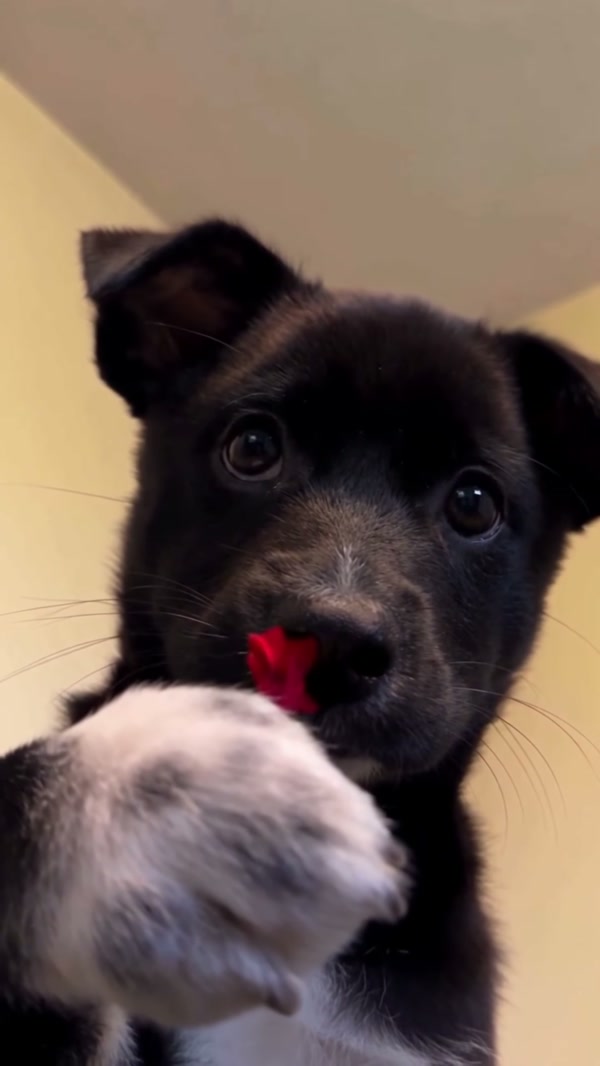
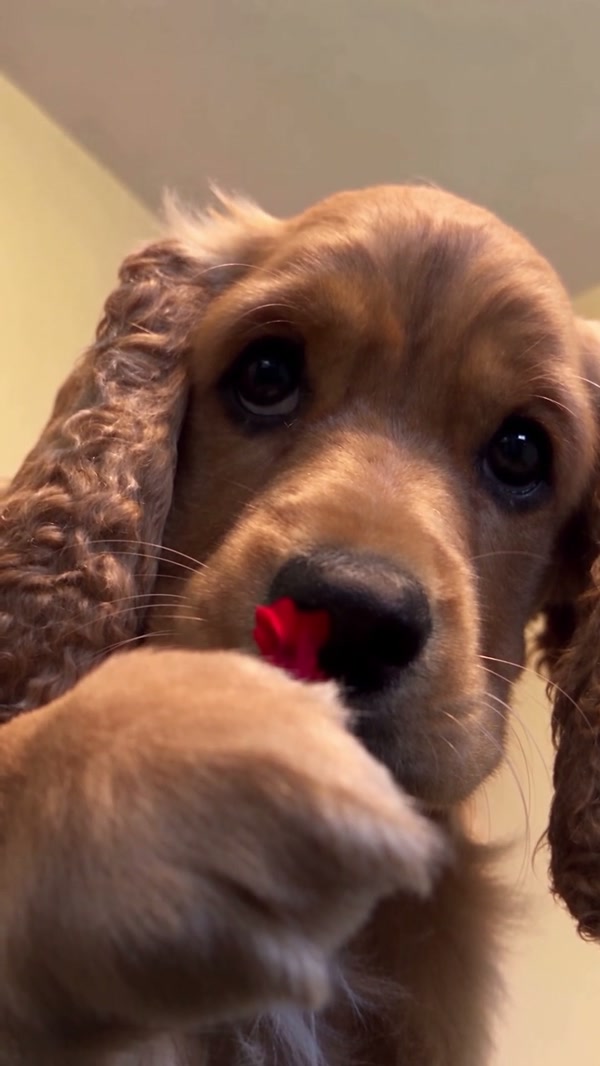
Give your pet a starring close-up. The first preview shows the reference; the second is a community variation.

0:00 / —:—
0:00 / —:—

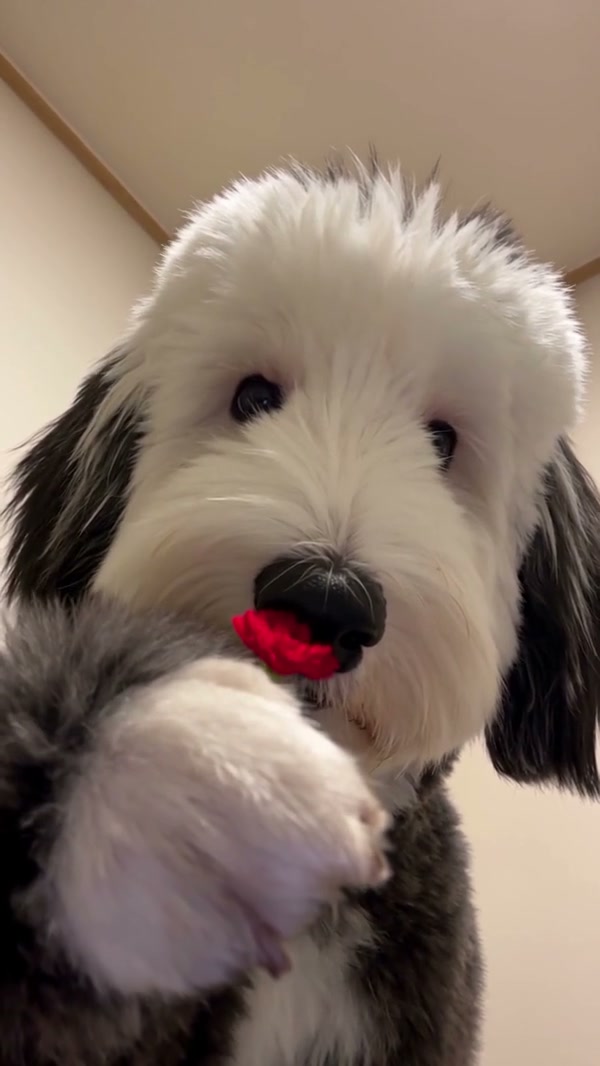
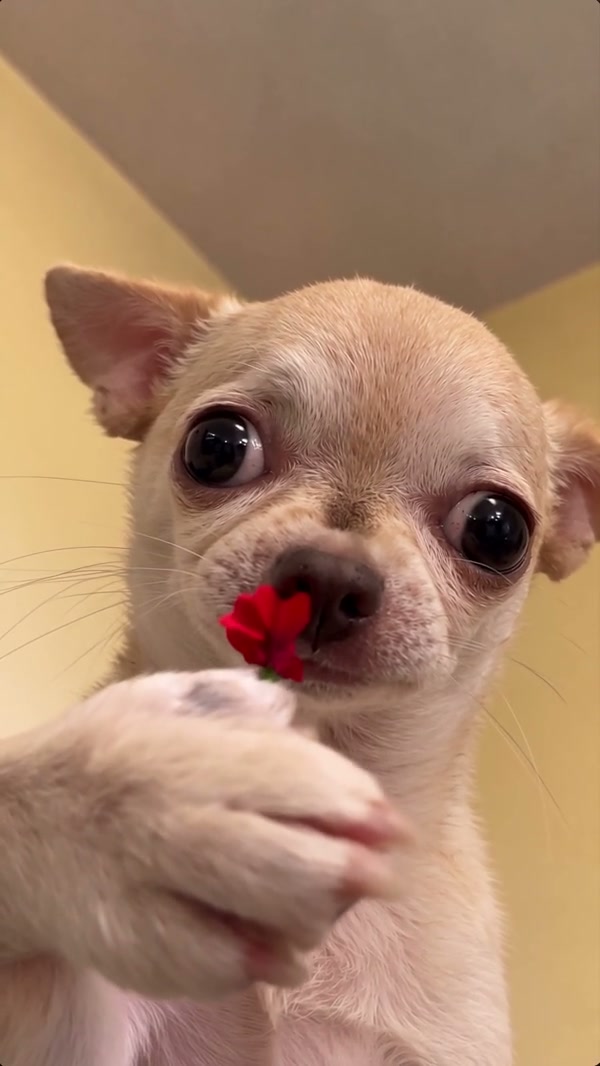
Flower Nose AI examples with different pets

Community clips illustrate variations and were created outside Motion Control.

What is Flower Nose AI?

Flower Nose AI is a fixed-reference pet video effect. A dog faces the camera indoors, raises a paw toward a green stem at its nose and presents a red flower. Add one photo to guide the animal that appears in that sequence. Motion Control supplies the movement and scene through the reference; the model interprets the pet’s appearance from your image. You do not need to film the gesture or place anything on the animal. The result can vary in facial details, paw placement and timing. A short Flower Nose AI reveal can suit a pet birthday greeting or a personal montage. Play Flower Nose AI before adding any caption so you can keep the face and flower clear when the gesture happens.

Prepared dog close-up and flower reveal

How to create a Flower Nose AI clip

Prepare a clear image and review the fixed sequence before submitting.

  1. STEP 1

    Pick the pet

    Upload one authorized photo with the pet’s face and nose clearly visible in the required slot.

  2. STEP 2

    Preview and choose

    Watch the prepared motion, choose Economy, Standard or Original, and read the estimate displayed for your settings.

  3. STEP 3

    Generate and check

    Sign in, start the task and open My creations when it finishes. Review the Flower Nose AI result and its sound before downloading.

A small gesture with a clear visual payoff

The photo selects the featured pet; the prepared clip provides the performance.

Select a Flower Nose AI portrait

The Flower Nose AI shot leaves little room to hide an unclear face. Select a photo with one pet, a visible nose and eyes, and enough detail to show distinctive fur or markings. A front-facing picture is a useful starting point because the prepared camera remains close to the subject. Avoid heavy blur, a covered muzzle or several animals overlapping. The fixed reference features a dog. You can try a cat portrait, though the model may interpret a cat’s muzzle and paws differently; a community variation is illustrative, not a guaranteed output. For Flower Nose AI, compare the picture at both full size and thumbnail size. If the nose or eyes disappear at a glance, a closer or better-lit view gives the model a more recognizable starting subject.
Select a Flower Nose AI portrait

Follow the prepared paw movement

The stem, raised paw and red bloom come from the Flower Nose AI reference. They form a short visual sequence rather than separate editable objects. The background, camera angle and sequence are also supplied by the clip, so there is no field to set another room or choose the exact moment the flower appears. Select the template because the action in its preview fits your idea. Generated motion can depart from the reference, especially when the paw passes in front of the face. Preview Flower Nose AI before creating if you need the bloom to arrive at a particular point in your edit. The order comes from the supplied performance, and individual generated frames can still interpret the motion differently.

Follow the prepared paw movement

Inspect your Flower Nose AI result

The original Flower Nose AI reference lasts about eight seconds and is vertical. All three modes use that complete short reference; the available model and displayed estimate depend on your selection. Once the task is complete, play the clip and check the animal’s eyes, muzzle and paws as well as the flower. The delivery process attempts to restore the chosen reference audio, but restoration may fail. Listen to your file and make sure you can use the photo and soundtrack before posting it. Play the Flower Nose AI result through the entire reveal rather than judging one frame. Check whether the markings stay recognizable when the paw covers the muzzle, and verify that the audio in the downloaded file suits your intended use.

Inspect your Flower Nose AI result

What you can control

Use the workspace to make the pet selection and generation settings explicit.

Pet appearance

One required photo guides the animal’s facial features and markings.

Generation mode

The three modes use the full short clip but can use different models or settings.

Final review

Check the generated paw, bloom and sound; a new attempt can interpret them differently.

Flower Nose AI questions

Details to consider before choosing the reference and pet photo.

How many pictures does Flower Nose AI need?

Flower Nose AI has one required pet photo. It guides the animal in the prepared close-up.

Can I use my cat in Flower Nose AI?

You may try a cat photo with Flower Nose AI. The generation reference shows a dog, so a cat’s anatomy and movement can vary in the result.

Does Flower Nose AI require a real flower photo?

No. The flower and the gesture are already part of the reference. Use a normal pet photo without staging the effect.

Can Flower Nose AI replace the flower or room?

This preset provides no separate flower or background input. Those elements follow the supplied scene and may vary during generation.

Which Flower Nose AI reference do the modes use?

The full reference is about 8.05 seconds and fits within the short-mode limit. Economy, Standard and Original therefore use the same complete reference.

Will Flower Nose AI include audio?

Flower Nose AI delivery attempts to restore reference audio after generation. If restoration fails, the completed file can be silent.

Why can a Flower Nose AI paw or face look different?

Small moving areas and occlusion are difficult for video models. Check the entire Flower Nose AI result and try a clearer source image when a detail matters.

How do I check the Flower Nose AI cost?

Choose your settings in the workspace and review its current credit estimate. Submission requires sign-in and sufficient credits.

Were the example clips generated on Motion Control?

The Flower Nose AI community variations were created elsewhere. They illustrate the idea and do not establish a verified result from this page.

Set up your Flower Nose AI pet

Choose a portrait and inspect the reference before creating.

Flower Nose AI