Create a video

Required photos3
Settings
Mode
Video length23s
Resolution

No Scrubs AI Video Generator for a Synchronized Trio

Use three photos to follow a prepared dance. The preview shows the full reference; short modes use its first 14.9 seconds.

0:00 / —:—

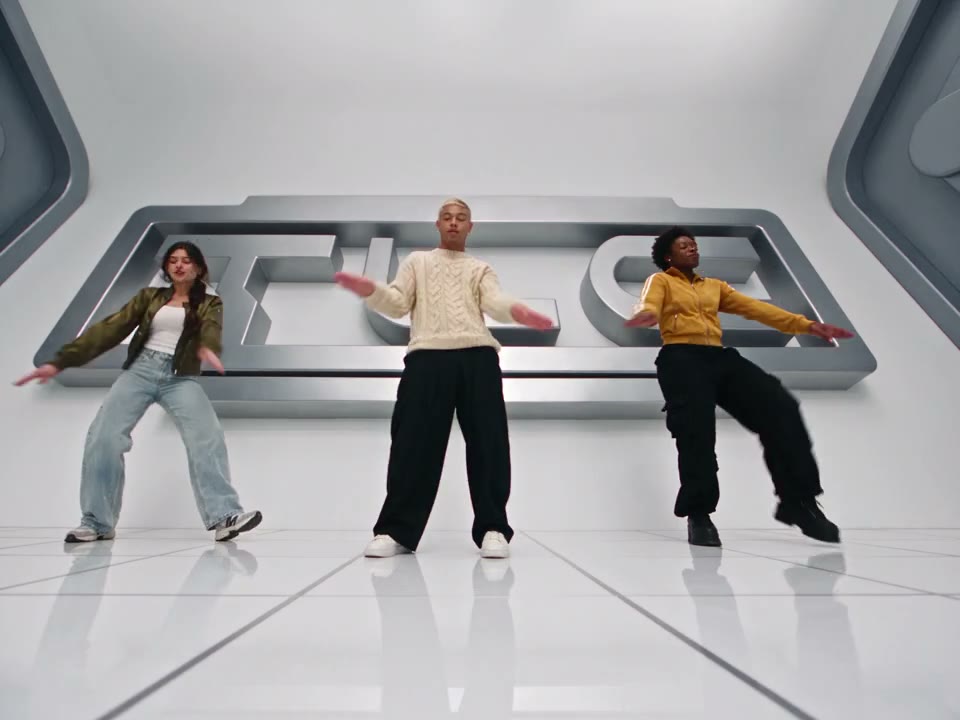
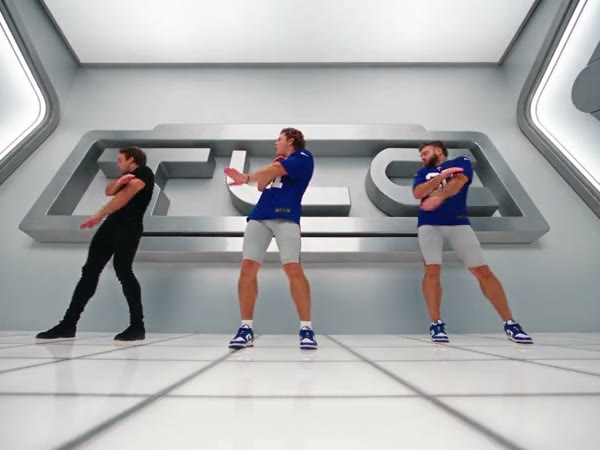
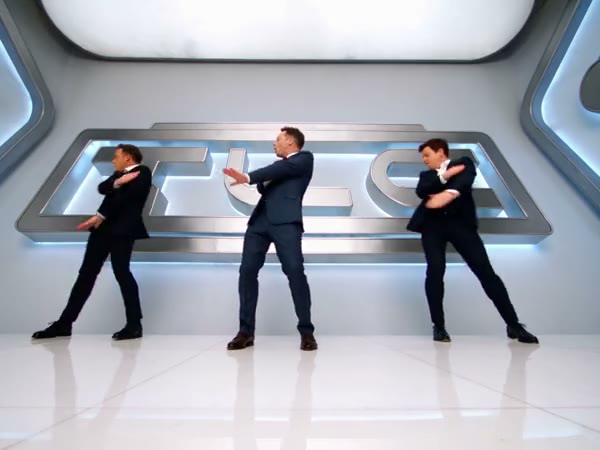
See the No Scrubs AI formation with different casts

These community clips were created elsewhere; your own result may vary.

What does No Scrubs AI make?

No Scrubs AI recreates a prepared three-performer music-video sequence using a separate photo for each position. The source moves between coordinated dancing in a bright, futuristic studio and individual shots in a metallic setting. Your first photo guides the central lead, the second guides the dancer on the viewer’s left, and the third guides the person on the viewer’s right. Motion Control uses those inputs with the fixed reference to create a new interpretation of the scene. The No Scrubs AI video generator follows the supplied movement and edits; exact faces, costumes and synchronization can still vary in the generated result.

The original group dance reference

How to create a No Scrubs AI motion video

Set up each role, inspect the reference and check the completed performance.

  1. STEP 1

    Map the three photos

    Add the center lead to No Scrubs AI first, the viewer’s left dancer second and the viewer’s right dancer third. Each slot needs its own photo input.

  2. STEP 2

    Choose the reference length

    Watch the full reference, then choose Economy, Standard or Original. Check the video length, resolution and current credit estimate.

  3. STEP 3

    Generate and inspect

    Sign in to submit. When the No Scrubs AI job finishes, open My creations and watch the result before downloading it.

Control the input, follow the reference

Decide who appears in No Scrubs AI and which segment to use while the prepared video supplies the motion.

Follow the No Scrubs AI formation

A group dance depends on the relationship between performers as much as on a single pose. The No Scrubs AI reference provides that arrangement, including the distance between the center and side roles, synchronized gestures, camera changes and the return to closer views. You do not need to film three people performing the routine. Choose your cast through the labeled photo slots and inspect the reference to see the motion the template is designed to follow. This is a fixed sequence: there is no control on this page for drawing a new camera path or replacing the studio with a different location.
Follow the No Scrubs AI formation

Select how much of the movement to include

No Scrubs AI offers two reference lengths through three modes. Economy and Standard use the first 14.9 seconds, displayed as a 15-second setting. Original uses the complete approximately 23-second source, which continues into later individual shots and the ending. The workspace player shows the full reference in every mode, so use the timing to identify which part the short modes cover. The shorter modes share the same segment but use different generation settings; compare the on-screen estimate for your selection. The output is generated from the selected reference rather than assembled by combining the community examples shown on the page.

Select how much of the movement to include

Give the moving roles enough visual information

Provide one clear person in each of the three No Scrubs AI slots. The first image guides the lead and opening close-up; the second image is assigned to the viewer’s left and the third to the viewer’s right. Wider photos with visible faces, clothing and shoes can give the model context when the framing changes from a close-up to a full-body dance. Avoid a group picture where the intended subject is unclear. Before downloading, watch how the performers look during fast turns and overlaps: faces, hands, outfits or position may change, even when the inputs are clear.

Give the moving roles enough visual information

What the No Scrubs AI reference contributes

The fixed clip sets the structure of the performance while your images guide the three people.

Group choreography

The No Scrubs AI reference supplies the shared steps, gestures and relationship between the three positions.

Shot changes

The prepared edit alternates group framing with close views and an elevator setting.

Segment timing

The two short modes use the beginning; Original includes the later part of the source.

No Scrubs AI motion and timing FAQ

Understand the supplied performance before choosing your inputs.

Do I need a dance video for No Scrubs AI?

The motion reference is already supplied with the template. You provide the three required person photos and select a mode; the prepared clip supplies the routine and camera sequence.

Which No Scrubs AI photo is the lead?

Photo 1 is assigned to the center lead and opening close-up. Photo 2 guides the dancer on the viewer’s left, including later close-ups, and Photo 3 guides the dancer on the viewer’s right.

Can I leave one of the dancer slots empty?

No. No Scrubs AI requires three photo inputs, one per assigned role. Check that all three labeled slots contain the people you intend to use before submitting the task.

What is included in the shorter No Scrubs AI modes?

Economy and Standard use the opening 14.9 seconds of the same reference, displayed as a 15-second setting. They include the early group movement; later material from the full source may be outside that segment.

How long is the No Scrubs AI Original reference?

The complete source is approximately 23 seconds. Original follows that longer reference, including the later individual shots and ending. The workspace player continues to show the full reference when you select a shorter mode.

Can I change the No Scrubs AI dance or camera?

The template follows its fixed reference for choreography, scene and edits. To use a different performance, choose another template or use a workspace that accepts an authorized motion video.

Does No Scrubs AI generate new singing?

The preset does not provide a separate lyrics or voice control. Delivery attempts to restore sound from the selected reference; the output can be silent if restoration fails. Check the file and your sharing rights.

Why might a No Scrubs AI performer change between cuts?

A model can interpret a person differently as the camera changes, bodies overlap or motion becomes fast. Review faces, hands and outfits throughout the clip; a sharper photo with a visible person can help guide another attempt.

Are the No Scrubs AI videos Motion Control outputs?

The gallery contains community interpretations created elsewhere. They help illustrate variations in the same scene and do not demonstrate a specific result from this site. Individual generations can look different.

How do I check the No Scrubs AI price?

Choose the mode and available settings in the workspace. Its current credit estimate is displayed before generation; signing in and having sufficient credits are required to submit.

Where can I watch my No Scrubs AI video?

Open My creations after the task finishes. Play the whole result and check its sound before using the download control. If the cast is hard to recognize, verify the slot order and consider clearer inputs.

Try the No Scrubs AI routine

Add the three roles, choose your reference length and review the estimate.

No Scrubs AI