Create a video

Required photos1
Settings
Mode
Video length27s
Resolution

Goodbye GTA 5 Highway AI Video Generator

Put one person in the driver’s seat of a game-inspired road farewell. Goodbye GTA 5 Highway AI follows a convertible and nearby travelers.

0:00 / —:—

What is Goodbye GTA 5 Highway AI?

Goodbye GTA 5 Highway AI creates a short fictional interpretation from one photo and a prepared motion reference. Your picture guides the driver; the source determines the location, action and editing. Make a fictional road-trip goodbye or a short send-off for people who enjoy game-inspired stories. Each run is generated anew, so appearance, movement and small objects can differ from the reference.

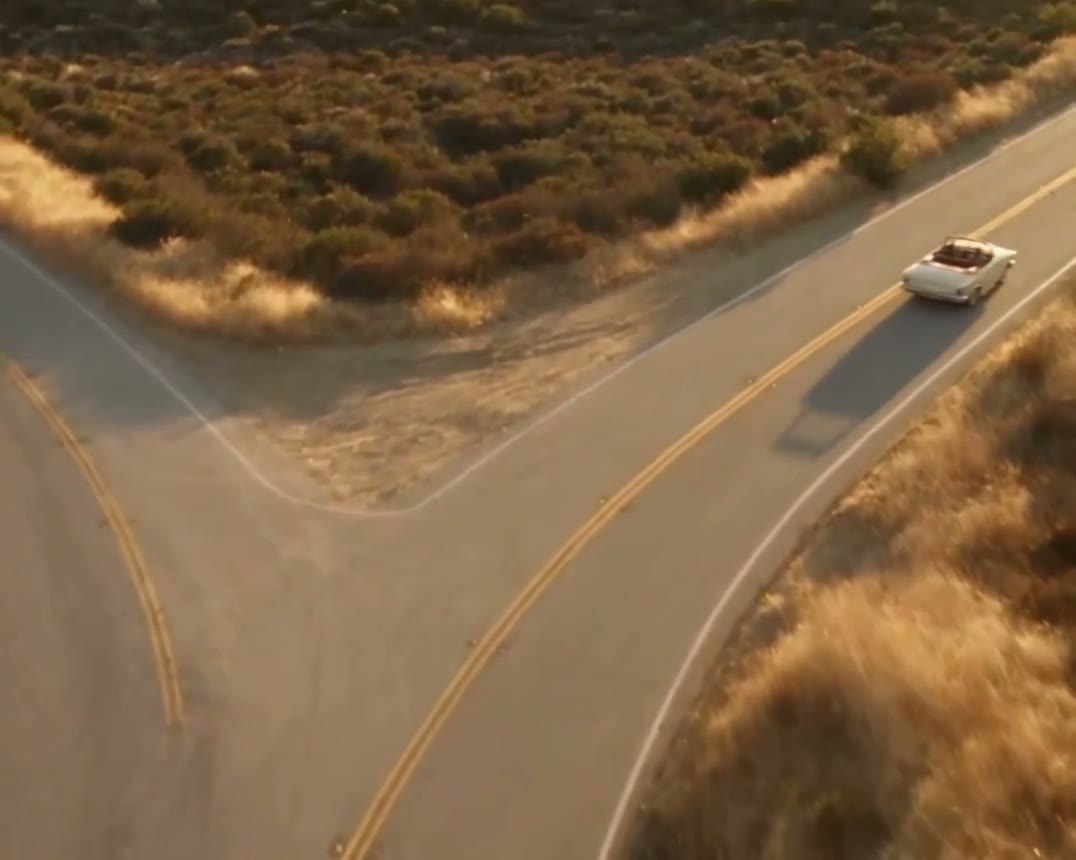
A convertible driver waves to other travelers on a sunset highway

How to make a Goodbye GTA 5 Highway AI video

Prepare one image, compare the Goodbye GTA 5 Highway AI modes and review your result.

  1. STEP 1

    Choose the driver

    Add one authorized photo to the labeled driver slot. Check that the intended person is clear before proceeding.

  2. STEP 2

    Pick the reference length

    Compare the three modes, then check the selected setting and credit estimate before starting.

  3. STEP 3

    Generate and inspect

    Sign in, submit and open My creations when the task completes. Review the full video and sound before downloading.

Plan a Goodbye GTA 5 Highway AI scene

Inspect the reference, choose one role and decide which section of the story you need.

Read the Goodbye GTA 5 Highway AI sequence before you start

In Goodbye GTA 5 Highway AI, a driver in a white convertible travels beside other drivers and a motorcyclist as they exchange waves. The complete scene ends with the convertible continuing down a desert road. Consider which moment is most important to your story before choosing a mode. The workspace uses the supplied reference rather than a camera path or a scene assembled from your own separate shots.
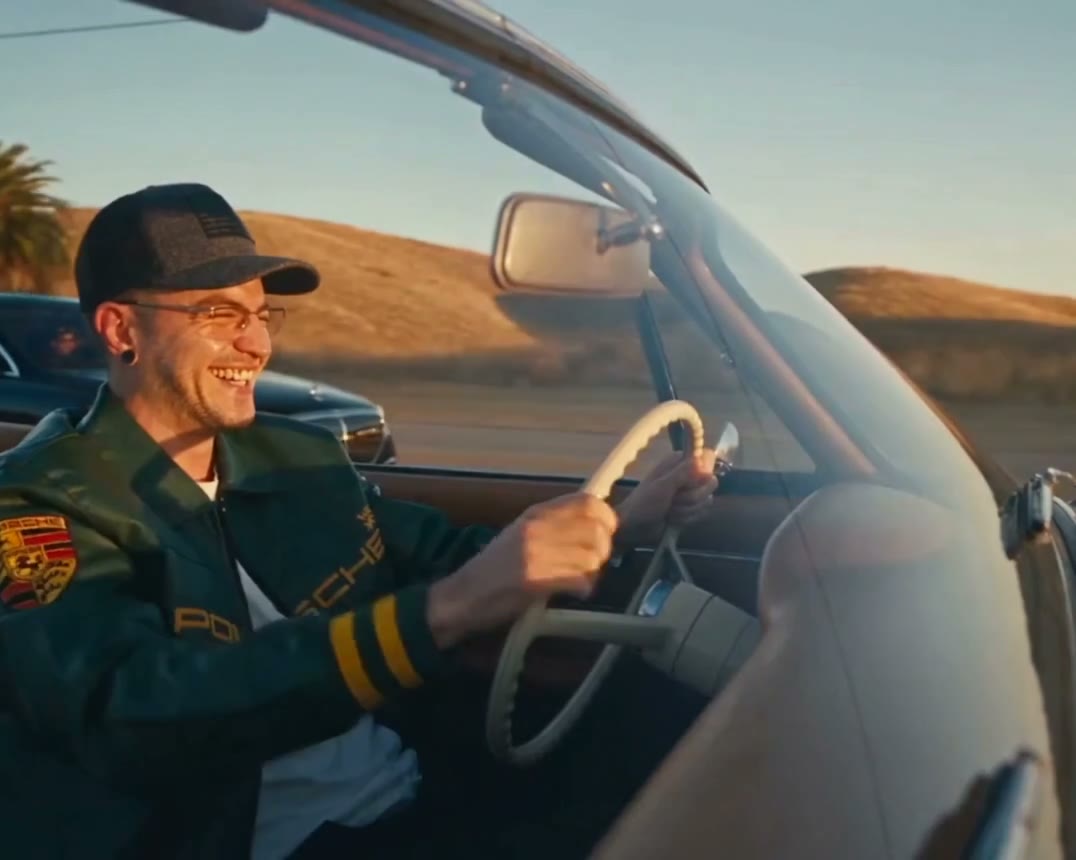
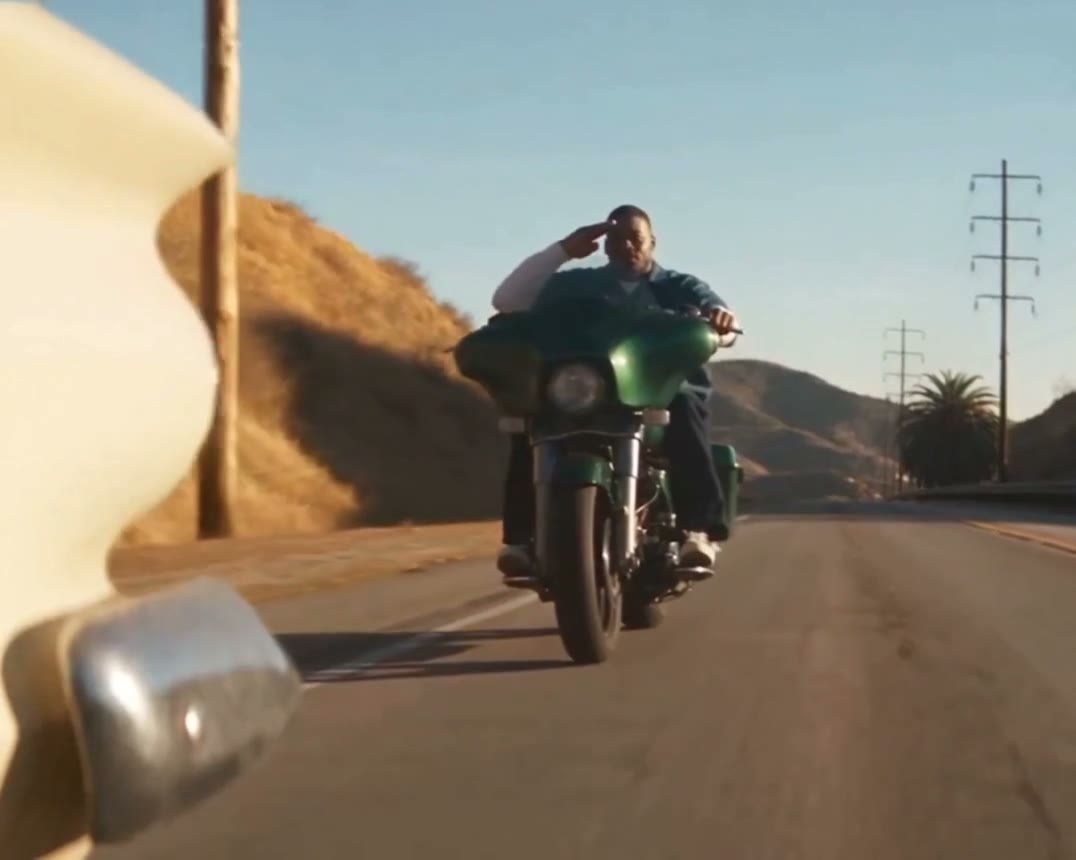
Read the Goodbye GTA 5 Highway AI sequence before you start

Prepare the Goodbye GTA 5 Highway AI driver photo

For Goodbye GTA 5 Highway AI, select one well-lit person with a recognizable face, visible hair and enough upper-body detail to guide the changing views from the car. Use an image with one clear subject and avoid a collage or a crowded background that makes the intended person ambiguous. Keep the face visible and include relevant hair and clothing when possible. A wider view can help when the camera switches between close and distant shots.

A convertible driver waves to other travelers on a sunset highway

Choose the Goodbye GTA 5 Highway AI story length

The trimmed full reference is about 26.5 seconds. The short selection uses the opening; the last wide shot comes later. In Goodbye GTA 5 Highway AI, Economy and Standard share the shorter reference while using different generation settings. Original follows the full prepared sequence. Select a mode in the workspace and look at its current duration and credit estimate before submitting.

Choose the Goodbye GTA 5 Highway AI story length

Understand what Goodbye GTA 5 Highway AI keeps fixed

The white convertible, other vehicles and travelers, highway, sunset and camera changes follow the prepared scene. The Goodbye GTA 5 Highway AI page gives you a photo slot for the driver; it does not provide individual replacement controls for every person, prop or background element. The preview is useful for judging the pacing and framing. A generation can vary in likeness and continuity, particularly where the subject turns or the scene cuts.

Understand what Goodbye GTA 5 Highway AI keeps fixed

Check the finished Goodbye GTA 5 Highway AI video

Check the driver’s face during turns, the waving hands and the continuity of the car and road details across cuts. Watch your Goodbye GTA 5 Highway AI clip in full rather than judging a single still. Look for sudden changes between shots and inspect any hands, props or lettering that are important to you. The template attempts to restore sound from the reference; listen to the downloaded file as well as watching it. For a separate airport send-off, try the airport farewell instead of expecting this road scene to change location.

A convertible driver waves to other travelers on a sunset highway

Goodbye GTA 5 Highway AI questions

Photo preparation, reference timing and result checks.

What does Goodbye GTA 5 Highway AI need from me?

One image is required for the driver. Choose a photo you can use and make sure the intended person is easy to distinguish. The prepared motion video is already part of the template, so you do not need to upload a second video to begin.

Which person does Goodbye GTA 5 Highway AI replace?

The upload guides the driver of the white convertible. Other drivers and the motorcyclist remain part of the fixed scene and have no separate photo slots.

What is the short Goodbye GTA 5 Highway AI option?

Economy and Standard use the opening approximately 15 seconds of the highway exchange. Economy and Standard use the prepared shorter selection. They use different generation settings, so choose based on the displayed estimate and the part of the story you want to keep.

What does Original include in Goodbye GTA 5 Highway AI?

Original includes the later wide view of the convertible driving away. Watch the complete preview to decide whether those later moments matter to your edit. The displayed duration is rounded and the completed result may vary slightly.

Can I replace the setting in Goodbye GTA 5 Highway AI?

The white convertible, other vehicles and travelers, highway, sunset and camera changes follow the prepared scene. These elements are guided by the reference. For a different location or different action, choose a separate template or use a workspace that accepts your own authorized reference footage.

Does Goodbye GTA 5 Highway AI include sound?

The reference has an audio track and the template is configured to restore reference audio after generation. Play the completed file and check its sound before using it. The page does not offer a separate voice or music creation control.

How can I improve a Goodbye GTA 5 Highway AI result?

If the person becomes hard to recognize, try a better-lit, less obstructed photo. For story details, compare the chosen mode with the preview before making another attempt. Keep the original input so you can compare the changes between results.

Does Goodbye GTA 5 Highway AI require credits?

Generating Goodbye GTA 5 Highway AI requires an account and available credits. The workspace shows the current estimate for the chosen mode and settings before submission; review that number before confirming a task.

Is Goodbye GTA 5 Highway AI a playable game?

It is an independent AI video template, not a game or an official product of a game publisher. The prepared scene is fictional, and the generated result should be reviewed as an AI interpretation.

Can I use a friend's photo for Goodbye GTA 5 Highway AI?

Upload media you have the right to use and obtain any necessary permission from the person shown. If the result includes an audio track, check the rights relevant to where you plan to share it.

Where is my Goodbye GTA 5 Highway AI result?

After submission, open My creations to follow the task. When it is ready, watch the clip from beginning to end, check the sound and use the available download control. Keep your input image if you want to compare another attempt later.

Set up Goodbye GTA 5 Highway AI

Choose a photo for the driver and review the length and estimate.

Goodbye GTA 5 Highway AI